Introducing Guardianship: Book, Sign and Pay for Someone Else
Oct 10, 2026 • Sahin U.We're introducing Guardianship, a way to link members to the people they're responsible for.
Not every member manages their own account. Kids and teens are the obvious case: they come in and train, but a parent takes care of booking, buying the membership, signing the agreements and paying. But it's not only kids. A member might train with a carer or relative who handles their bookings and payments, or simply not have an email address or smartphone of their own.
Why we built it
Until now, Boxbase assumed that the person training is also the person managing the account. Often that's not true. Guardians need the tools to take care of someone else's training, and your gym needs to know who is responsible for whom. Guardianship covers both.
What guardians can do
A guardian is linked to their dependents, for example their kids. From their own login in the member app, they can:
- Book classes for themselves or any of their dependents
- Buy memberships for them
- Sign agreements on their behalf
- Keep track of each dependent, with their memberships, classes and agreements in one place
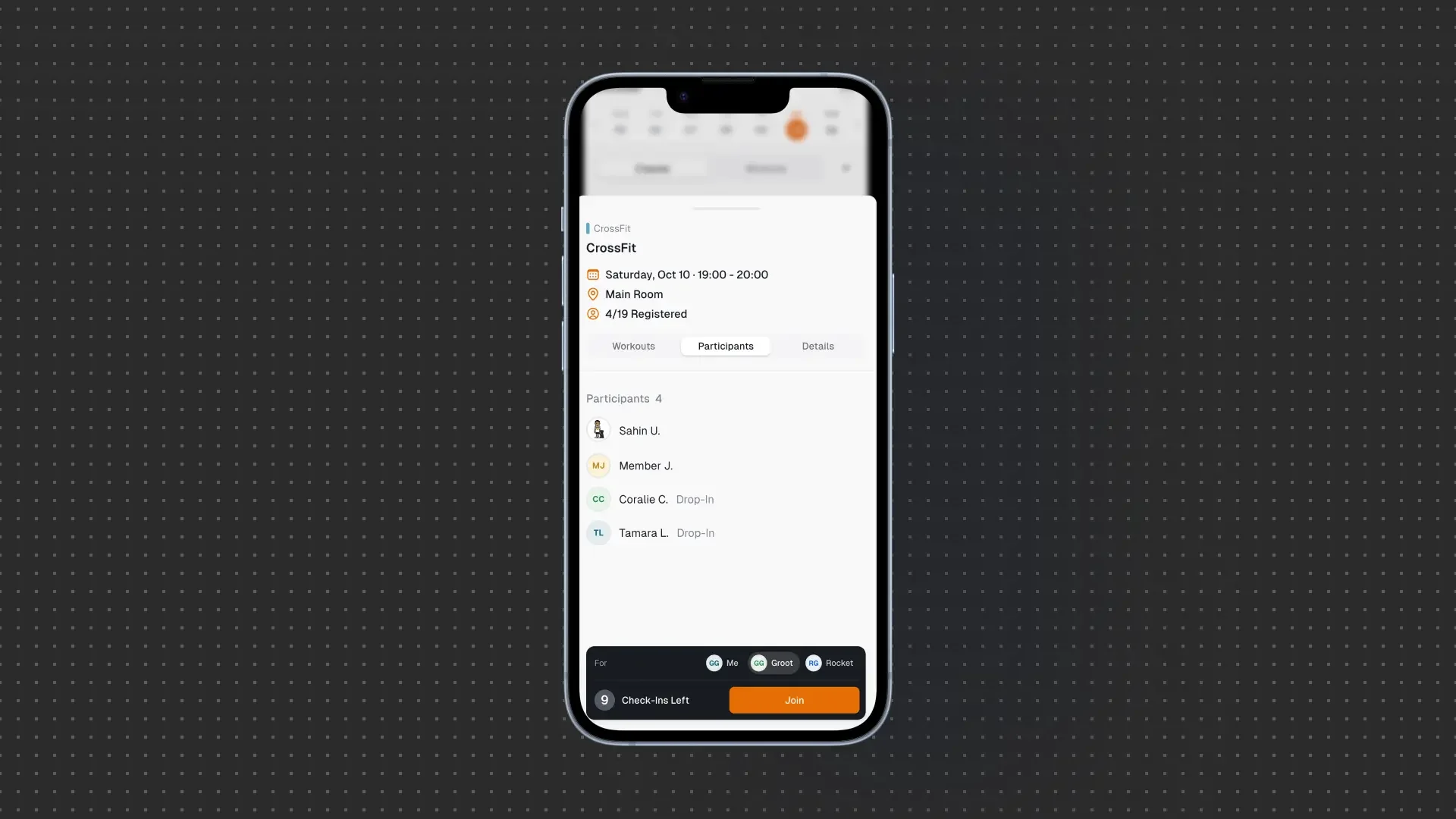
A dependent is still a regular member of your gym. They have their own memberships and show up on your class lists like everyone else. They are just managed through their guardian.
Payments and emails go to the guardian
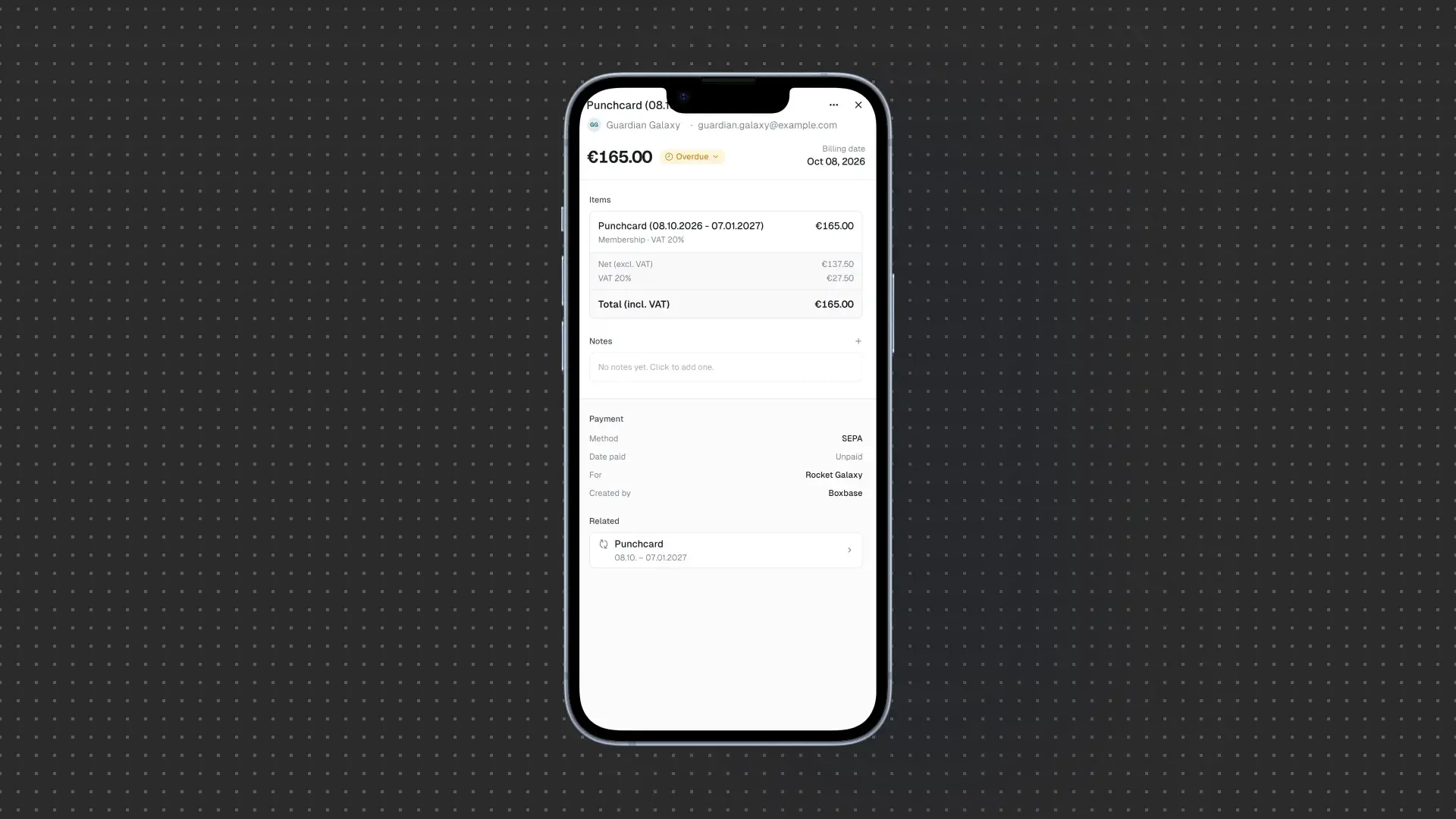
Payments for a dependent's membership are charged to the guardian's payment method. In your admin, each payment shows both who the membership is for and who is billed.
Emails work the same way. Booking confirmations and membership reminders for a dependent go to the guardian.
Setting it up
There are two ways to add a dependent:
- From a member's page. Open the guardian's detail page in your admin and add a dependent. Create a new profile with just a name, or link someone who is already a member of your gym.
- With the invite. When you invite a new member, add their dependents right in the invite, each with their own membership. Their profiles are created as soon as the guardian accepts.
During onboarding, the guardian then reviews their dependents' details, signs any pending agreements and adds a payment method, all in one go.
Guardianship is available now for all Boxbase customers. Open any member in your admin and add their first dependent.
They trust us. Every day, we earn it.