Checkout v2: Guest Bookings & Member Drop-Ins
Apr 1, 2026 • Sahin U.When we launched Online Checkout, it gave your members a self-service way to purchase memberships. That was v1, built for members already in your system.
Checkout v2 opens the door to everyone else.
Members can now book and pay for single classes. Visitors can book from your public calendar without needing an account. And trial plans work end-to-end in a single flow.
🛒 Checkout for Members
The member checkout from v1 keeps working the same way. Members select a plan, choose a payment method (Stripe or on-site), sign any required agreements, and get an active membership right away. Both sides receive a confirmation email.
🎟️ Member Drop-Ins
Member drop-ins were already possible before, but now the checkout handles the payment process too. Members without an active membership or who have run out of units can book a single class and pay directly through the checkout flow (Stripe, on-site, or free).
You control this per class with the "Member Drop-Ins Allowed" toggle. No plan or membership is created, just a one-time class booking.
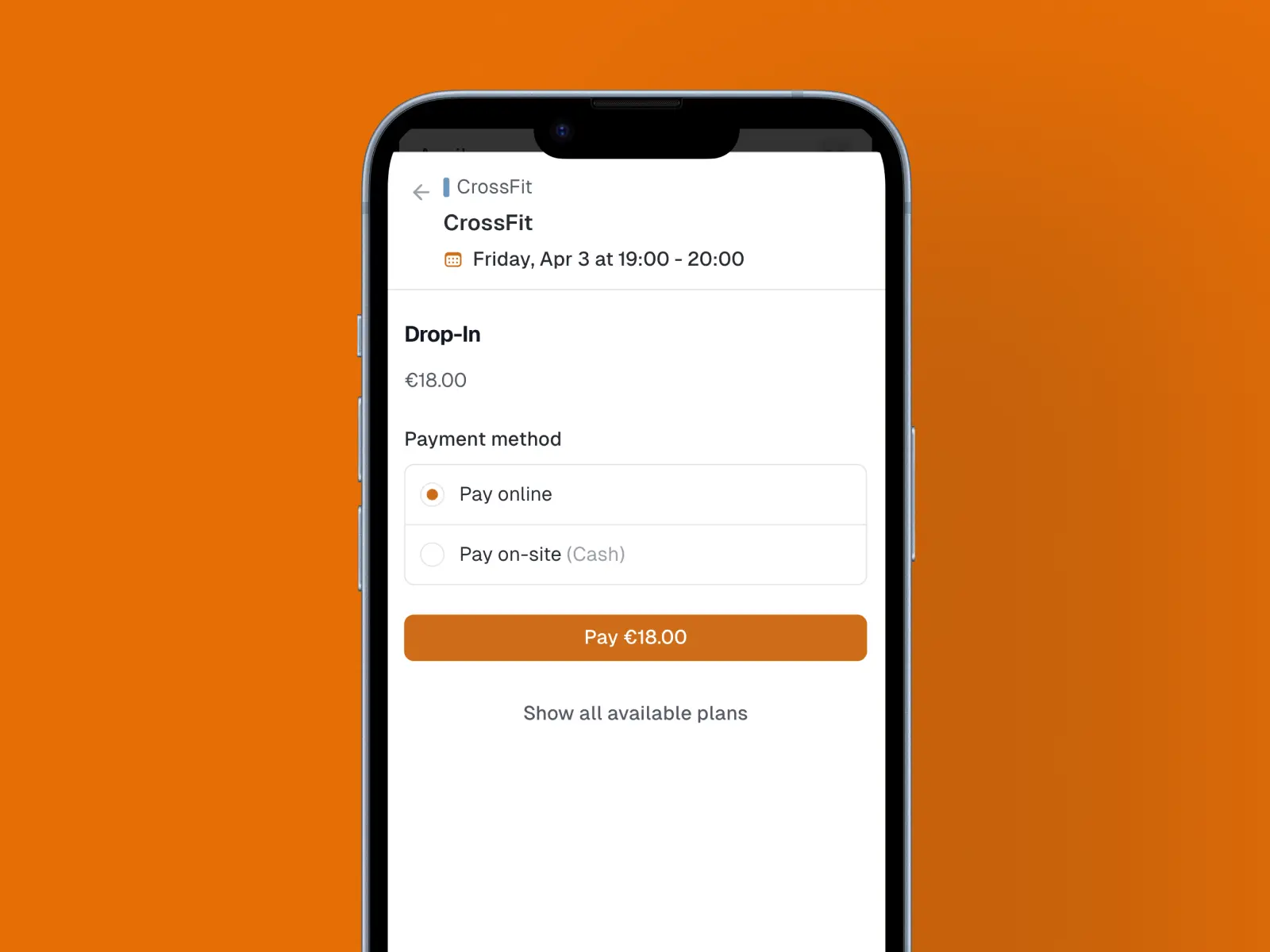
This is great for members who train occasionally, are between plans, or just want to drop in for a specific session.
🚪 Guest Drop-Ins & Trials
This is the big one. Visitors who aren't members of your box can now book classes directly from your public calendar. Two options:
Drop-In
A visitor enters their name and email, picks a payment method, signs any waivers, and books the class. No account needed. It's the lowest-friction way to get new people through your door.
Trial
A visitor purchases one of your trial plans and books a class in a single flow. This creates a trial membership for them, giving them access to book additional classes during the trial period.
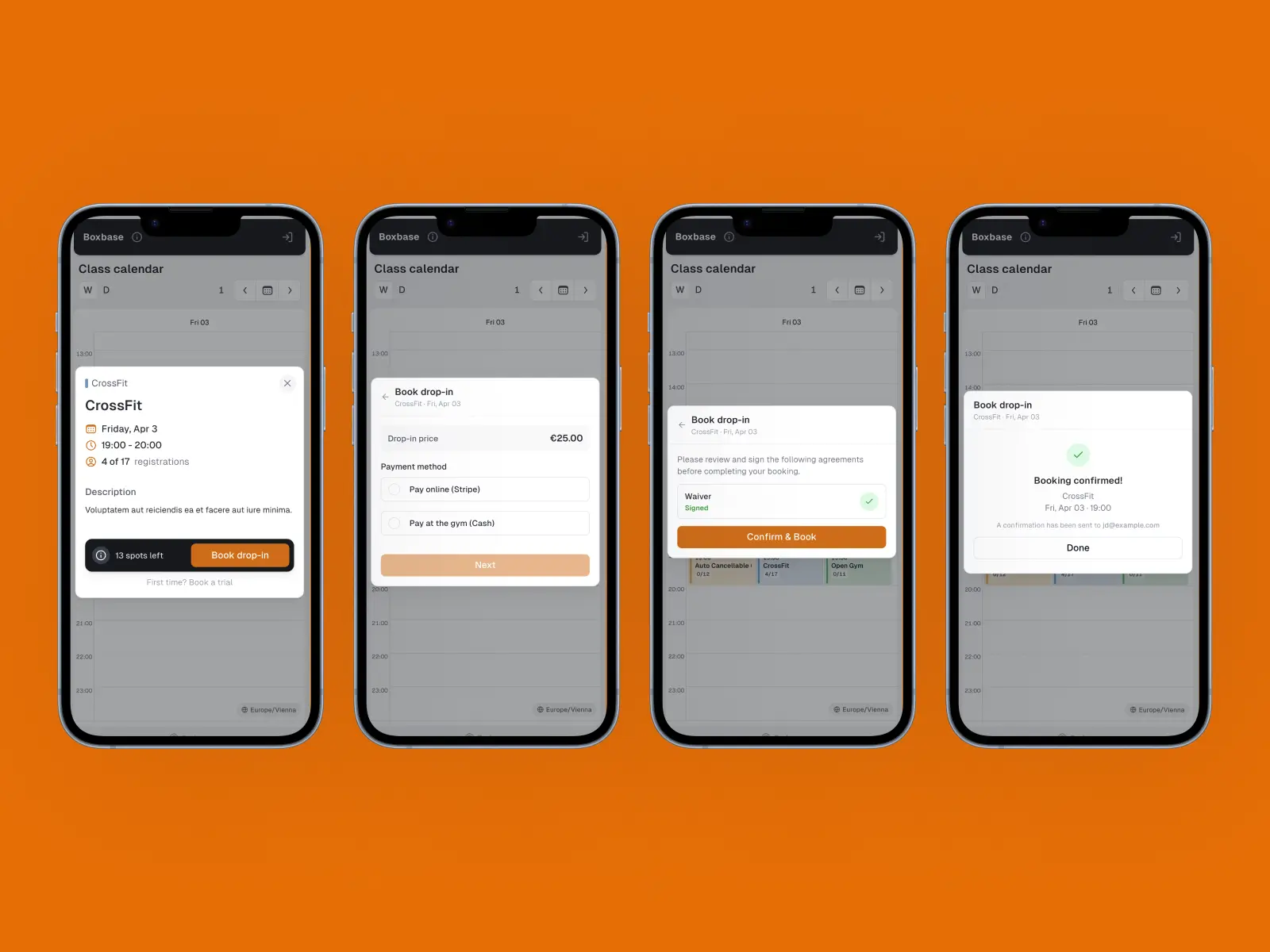
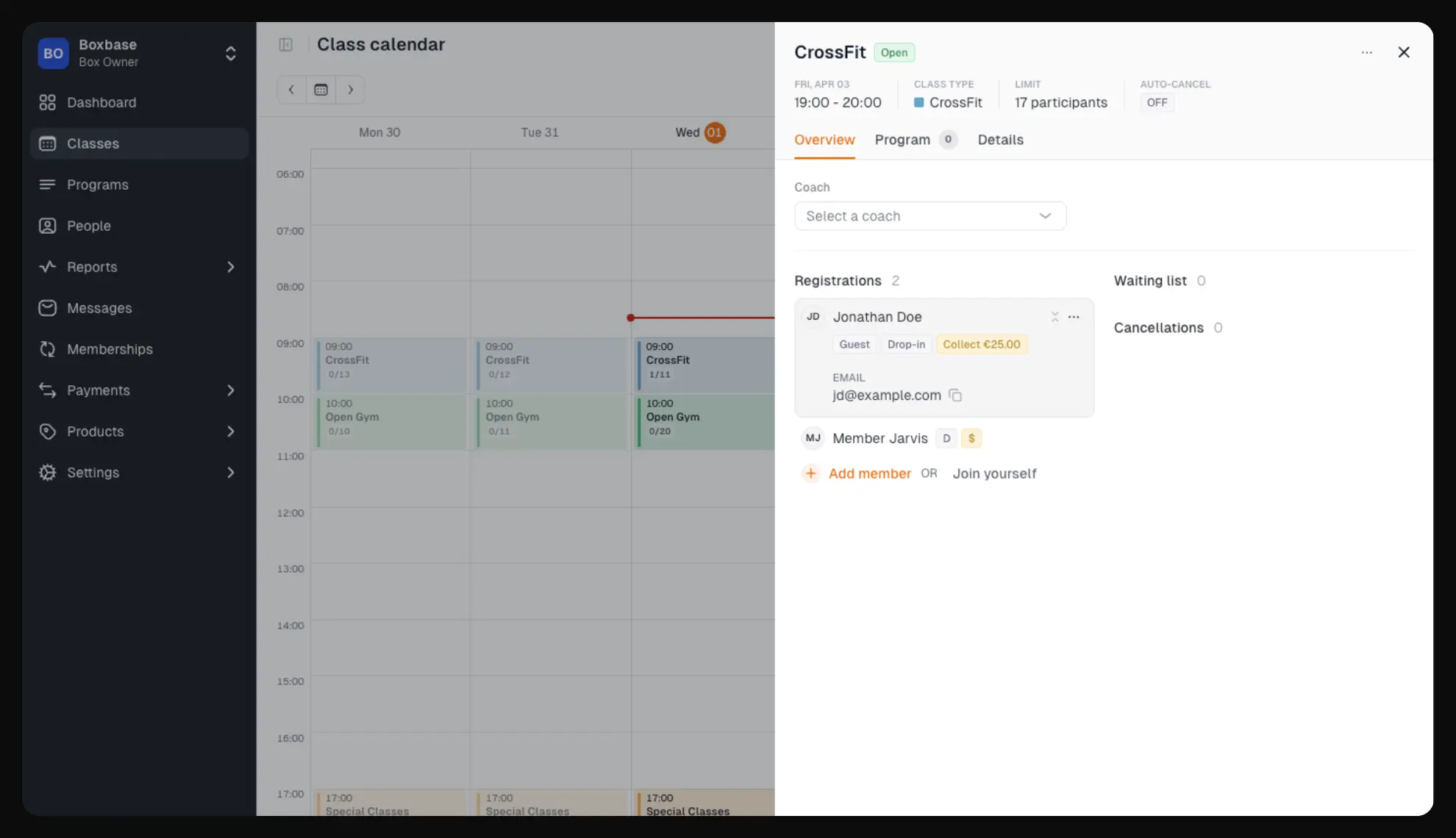
Guests show up in your class list with a "G" badge, so you always know who's new. Returning guests are recognized automatically by email, no duplicate entries.
💡 Good to Know
A few things that make this even more useful:
- Shareable class links: Copy a direct link to any class from the admin class detail menu ("Copy public link"). Share it on social media, WhatsApp, or wherever your community hangs out.
- Collect payment badge: When a guest or member books with on-site payment, a clickable "Collect" badge appears in the class view. Click it to mark the payment as collected.
- Coming soon: A dedicated view for guest drop-in and trial registrations is on the way in a future release.
Checkout v2 is available now for all Boxbase customers. Enable guest bookings in your box settings and start filling your classes.
Have questions or feedback? Reach out to us at hi@boxbase.app. We'd love to hear from you!
They trust us. Every day, we earn it.